In development · Made in Italy
All your Claude Code accounts and sessions, in one soft light.
A small window in a corner of your screen: which session needs you, and how fast each account is filling up. With a light, so you don't have to look.
It runs every day on my computer. No download yet: I'm building it, Windows first.


- The widgetThe session that needs you, first.A small window above your others, that never takes the keyboard. At the top, the session waiting for you; below, every session and every account.
- Three smaller formsA strip, a line of light, a dot.Double-click: the strip keeps only the line that matters. Smaller still, a line in the colour of the state. Minimized, a dot next to the clock.


The details
Every session by its name, every account side by side.
- working
- needs you
- done
- error
Sessions, by their real names.
Each session shows the title Claude Code gives it, or the one you choose with /rename.
- The session that needs you comes first, with how long it has been waiting.
- Click a session: how long it has been in that state, the model, the context it is using, the tool it is running.
- Below, the accounts: the five hours, the week, when they reset.

Every account, side by side.
The five-hour window and the weekly one, as a number and a bar, with when they reset. The account in use shows its pace, and when it runs out at that pace.
Rest the mouse on an account: a card opens with the curve of its last five hours.
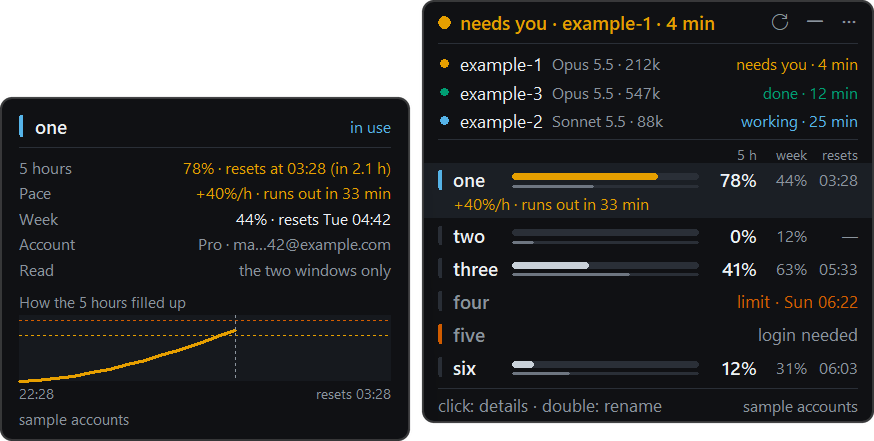
How it reads. It never opens your credentials.
-
Accounts
Lucore asks the
claudeprogram already on your computer:claude auth statusfor whose account it is, the documented/usagecommand for the two windows. -
Sessions
Their state comes from Claude Code hooks, the moment it changes.
-
No cloud
Nothing is sent to Slemball or to anyone else: what Lucore reads stays on your computer.
The light
The o in lucore is the light.
A session needs you: it beats twice, lu-core.
Four colours from the Okabe and Ito palette, which reads even if you can't tell red from green, and a grey ring when there is nothing to say. This is how the light is meant to move: slow and warm, never a flash; lucore is an old Italian word for a soft, diffused light.
-
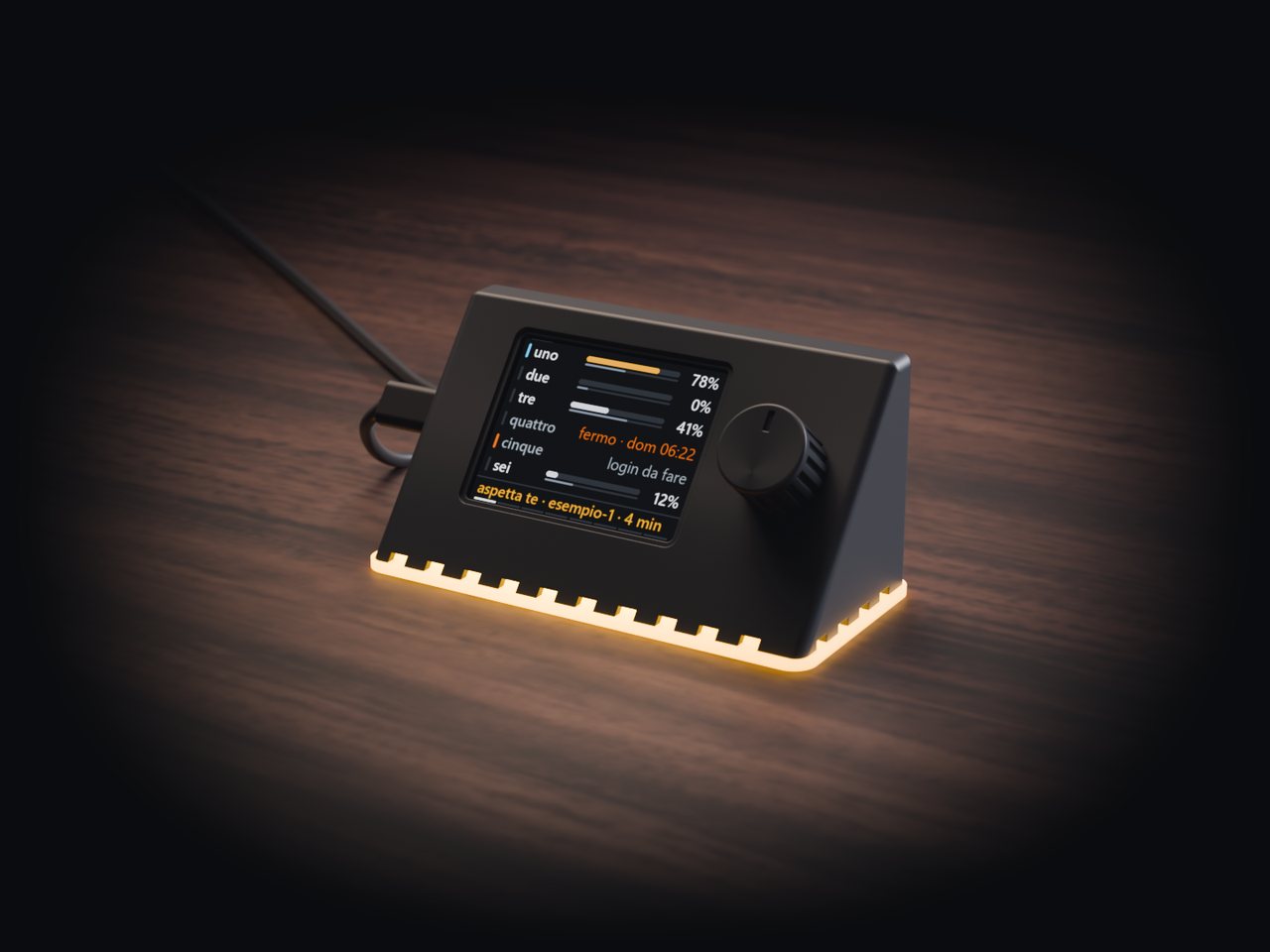
Render The object
The same light, on your desk.
I'm also designing an object that tells you the same things: a small screen, a knob, and the light coming out from underneath. It isn't for sale, and I don't know yet if it will be.
-
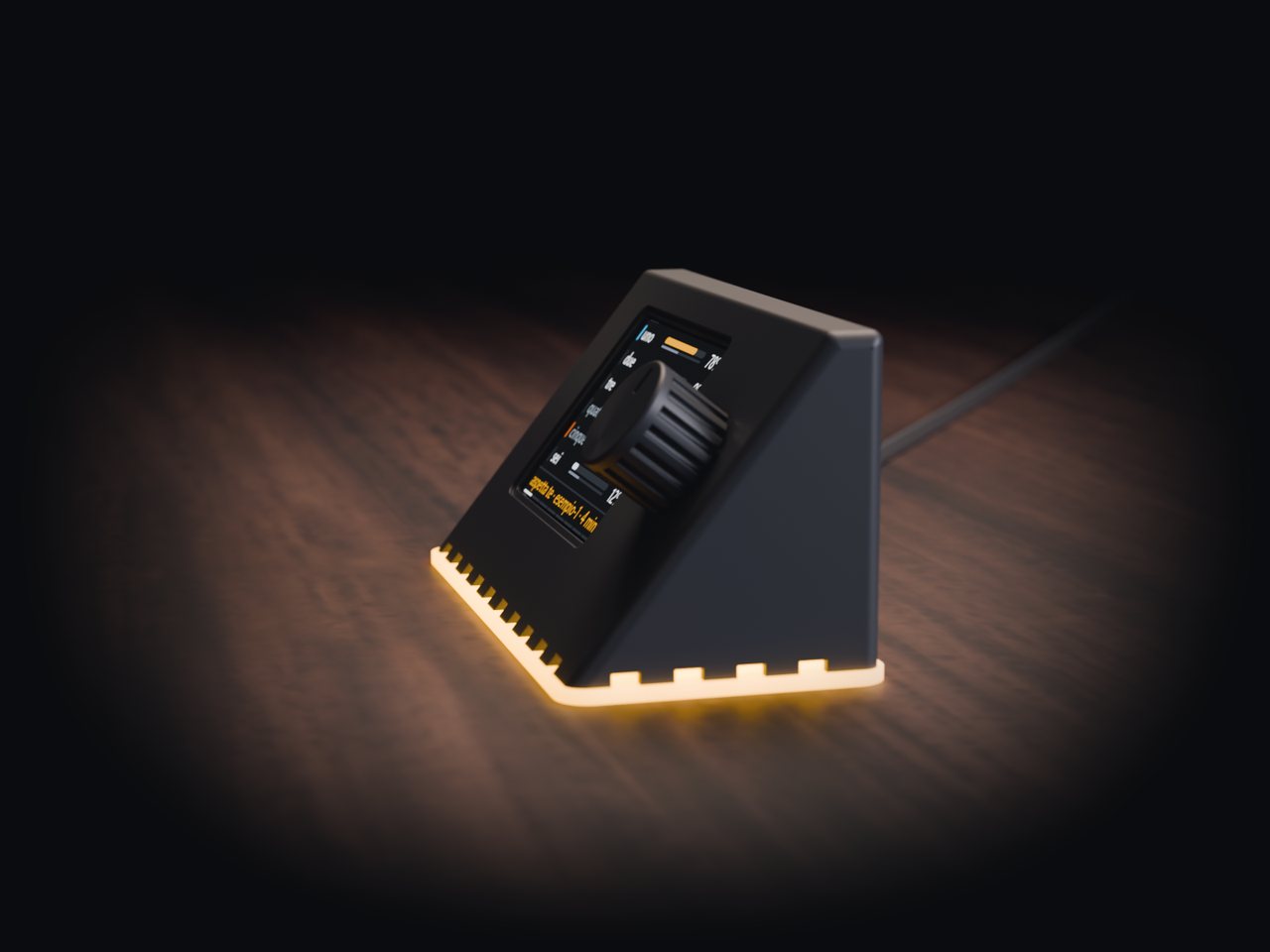
Render Test build 1
A 2.8-inch screen, tilted back 38 degrees.
Designed to be read from 60 centimetres and touched like a phone, so it needs no other buttons: the knob on the right turns and presses, to go through accounts and sessions. For now the screen speaks Italian.
-
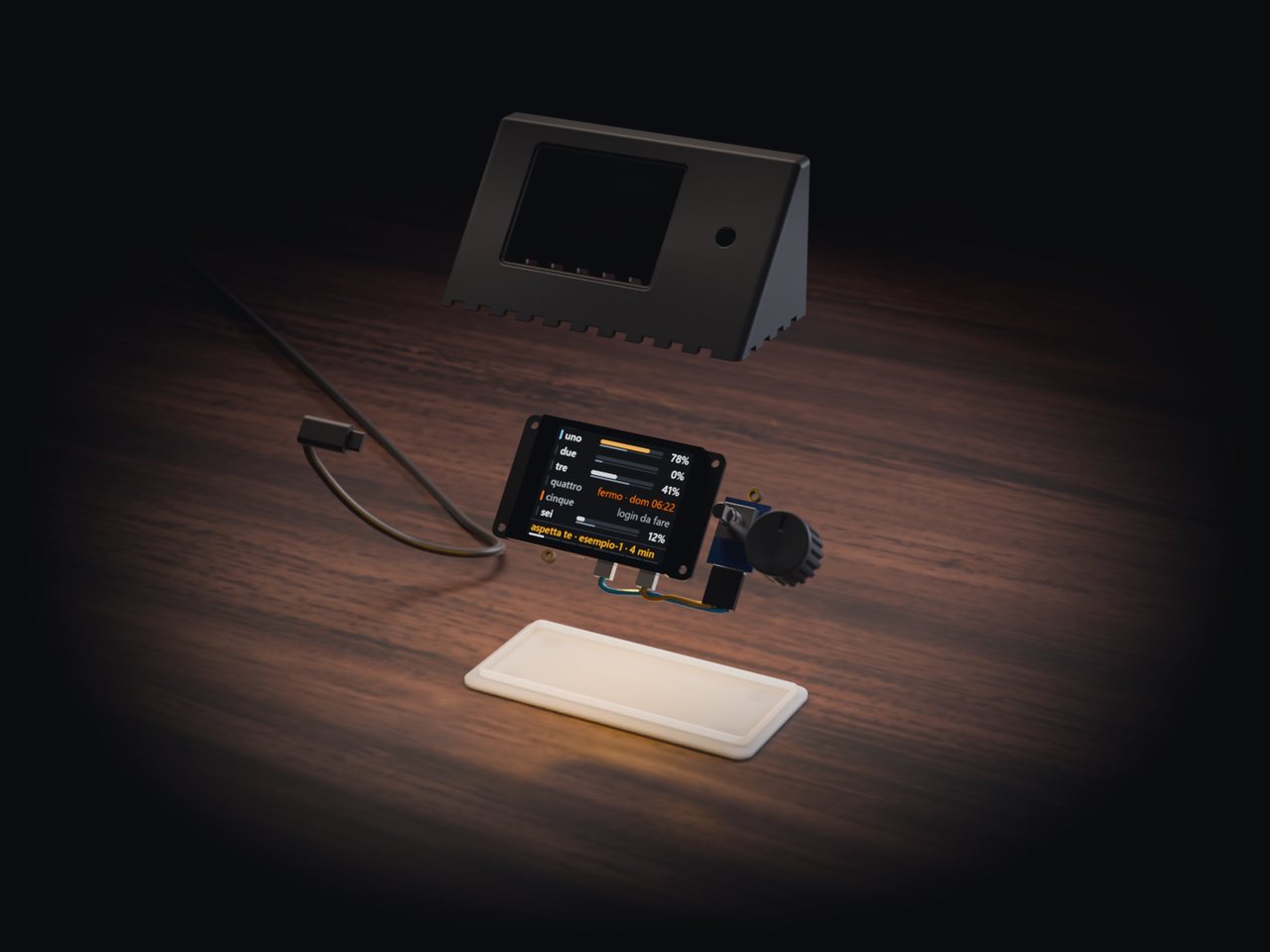
Render Part by part
No screws, no soldering.
As drawn: two parts to buy, four to print. The board already has a colour light on its back; four printed clips hold it in place.
-
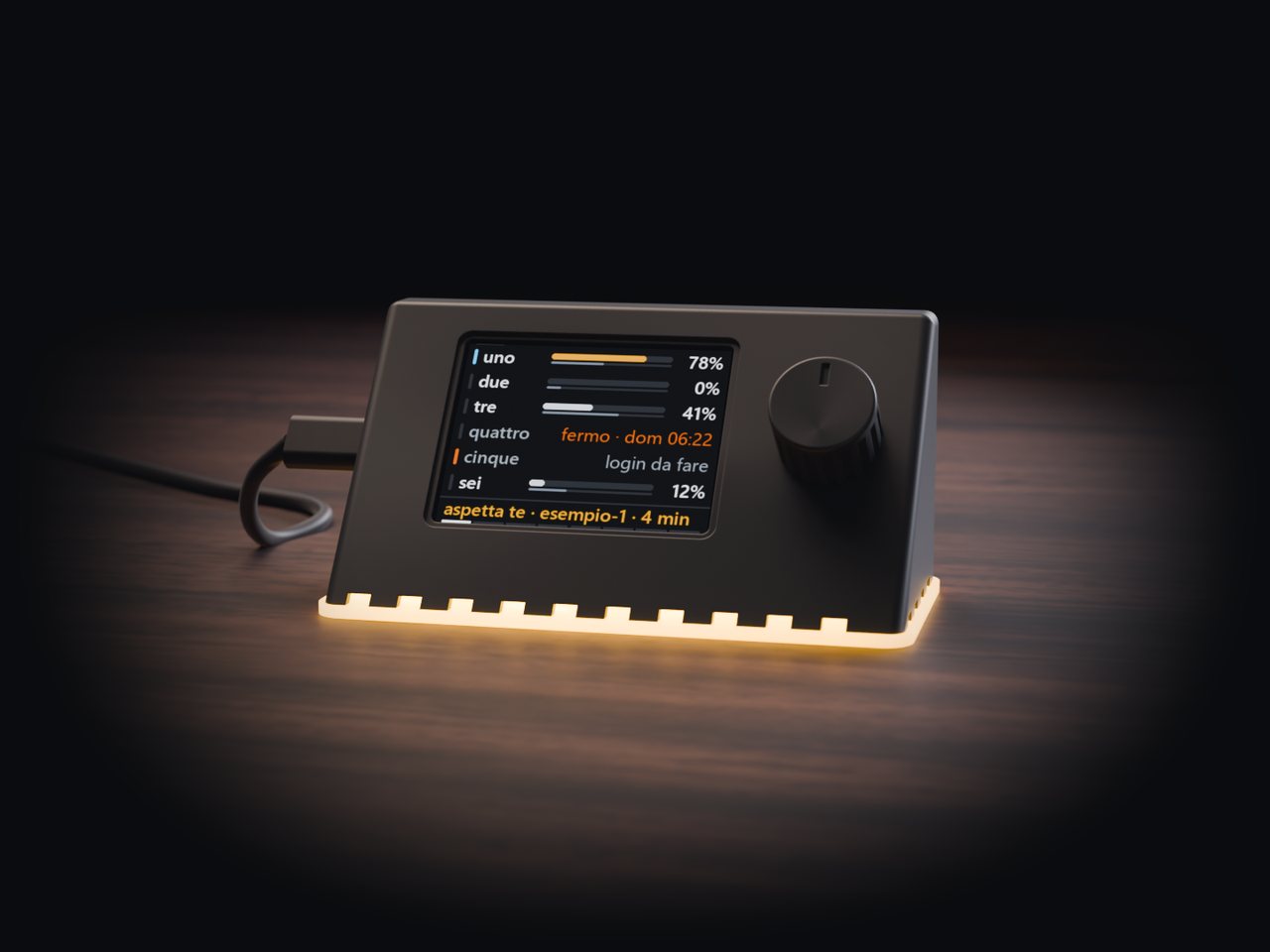
Render The light underneath
The light is meant to fill the pale base and spill onto the desk.
Drawn and checked in 3D, part by part. Not printed yet.


Rendered from the 3D model of test build 1. Not a photograph: it isn't printed yet.
Where it is
Early, and in use every day.
Today
Lucore runs every day on my computer, from the source code. Windows first; I'm building macOS and Linux.
Download and code
Not yet. The program will be free, under the MIT License; the name Lucore and its logo stay out of the license.
Languages
English and Italian.
The object
A study. Test build 1 is drawn, not printed yet.
Write to me: connect@slemball.com